
Your Cohort Overview
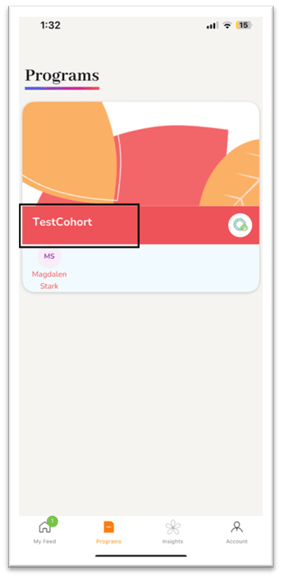
When you open the Program tab, you’ll see the cohort card that you are registered in.
For example, in the image on the right, the user is enrolled in a cohort named TestCohort. ⇒
-
Each card represents a specific learning program or group.
-
Clicking or tapping on the card will take you into your personalized program library.
Your Personalized Library
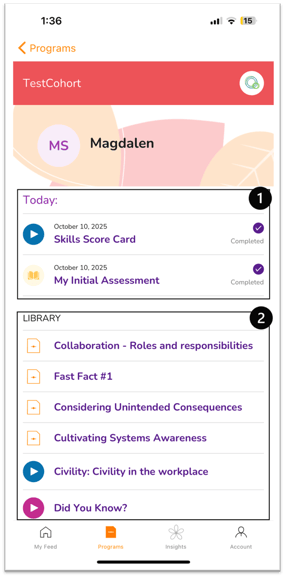
Inside the library, you’ll find all of your assessments and learning content in one place:
-
Completed Assessments:
These appear pinned at the top of your library. You can review them anytime to track your progress. -
Microlearning Content:
Below your assessments, you’ll see curated learning modules. These are automatically personalized based on your assessment results.-
The content targets the lowest-scoring skill areas, helping you focus on improvement.
-
Each piece of content serves as a quick, practical resource to strengthen those specific skills.
-
Why It Matters
The Program Library helps you:
-
Stay organized by keeping all your learning materials and assessments in one place.
-
Focus on areas of improvement identified through assessments.
-
Build your skills through targeted microlearning activities designed just for you.
Tip: Revisit your Program Library often — new microlearning resources may appear as you complete more assessments and progress through your cohort.