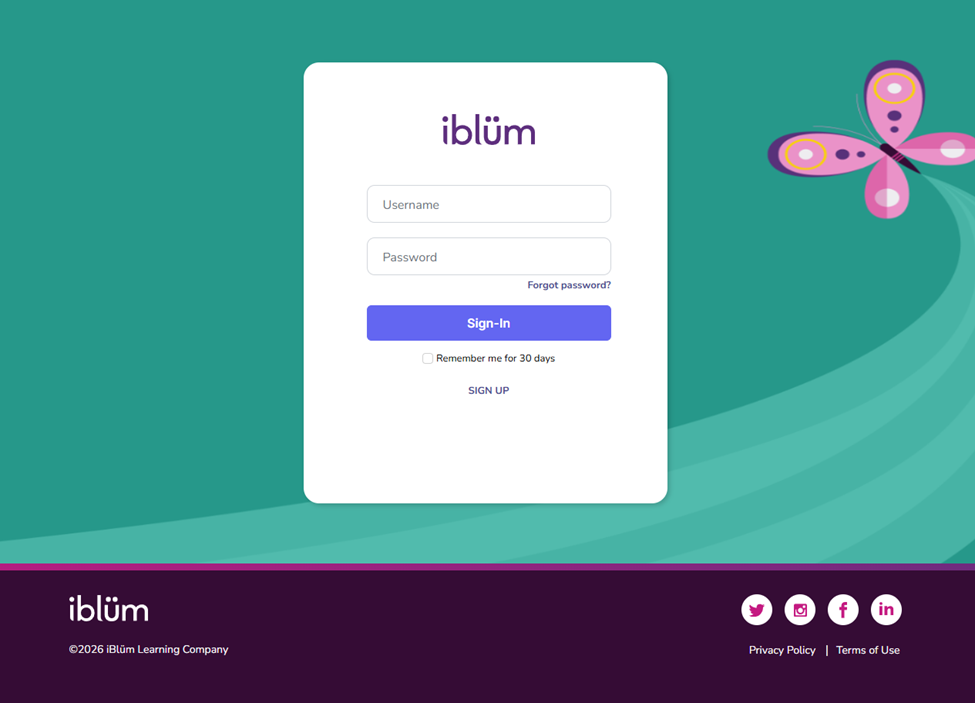
Step 1: Log in to the portal as an Admin. You must have Supervisor access to move a learner between cohorts.
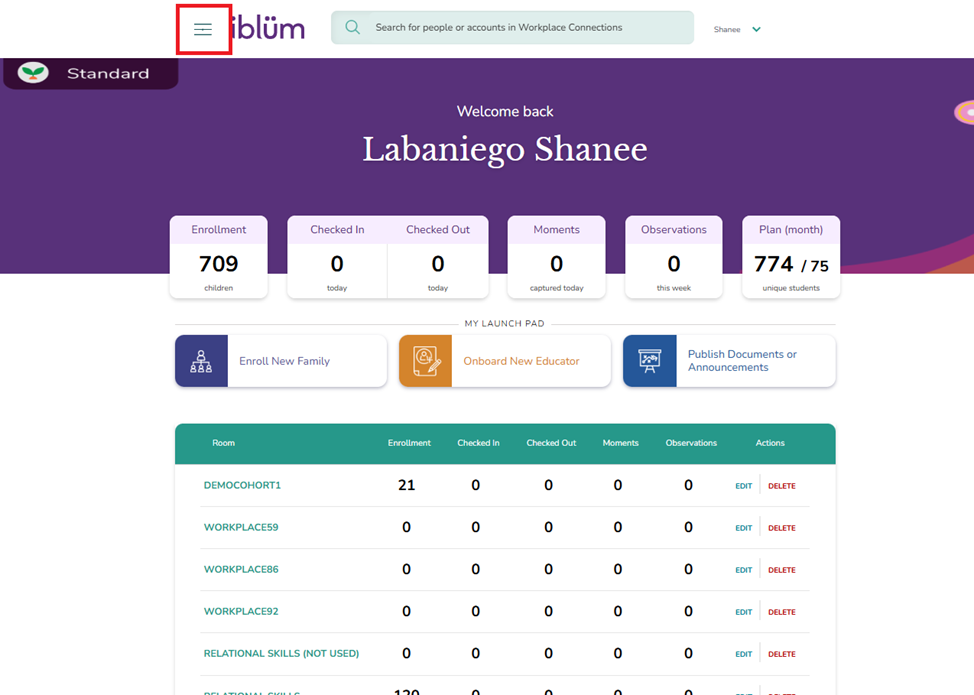
Step 2: Click on the menu icon
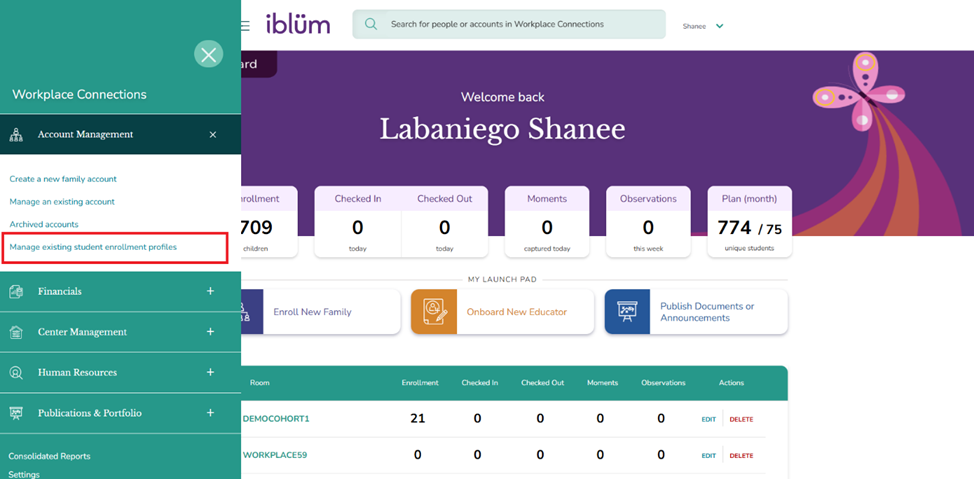
Step 3: Click on Account Management and click on Manage existing student enrollment profile
You will be navigated to the student list page:
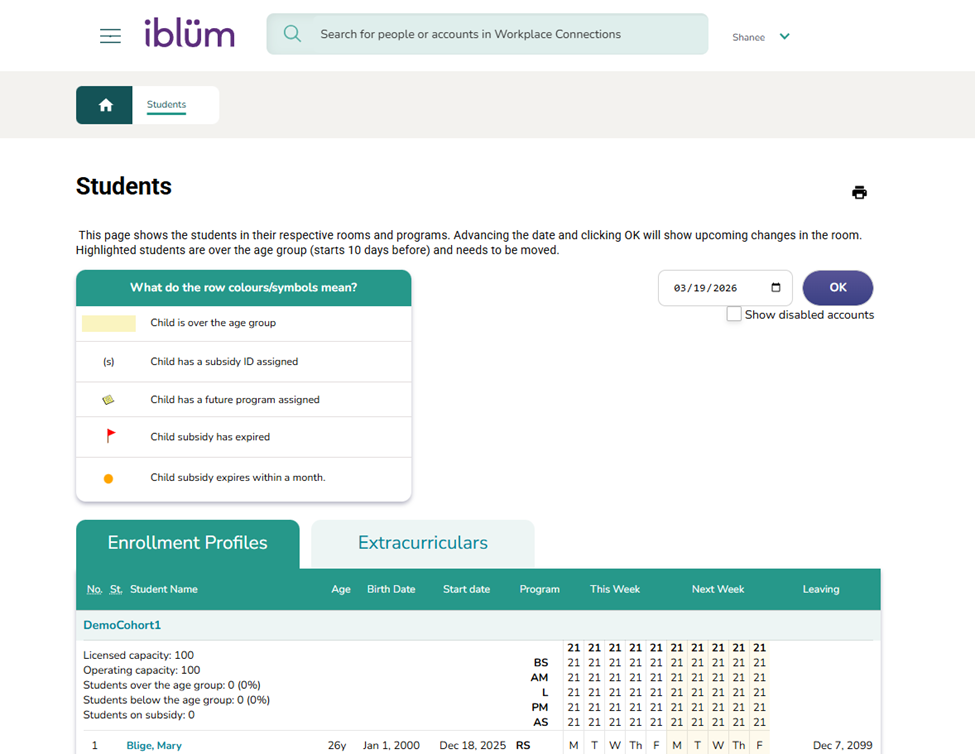
Step 4: Find the learner’s name.
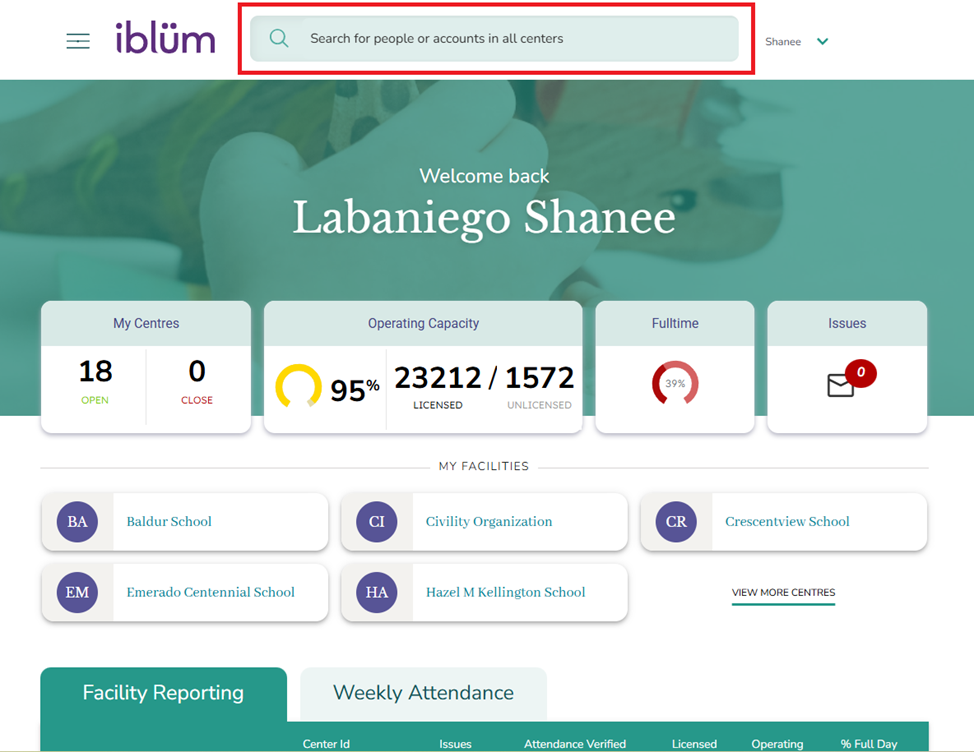
Alternatively, you can use the search bar to quickly locate the learner from the home page
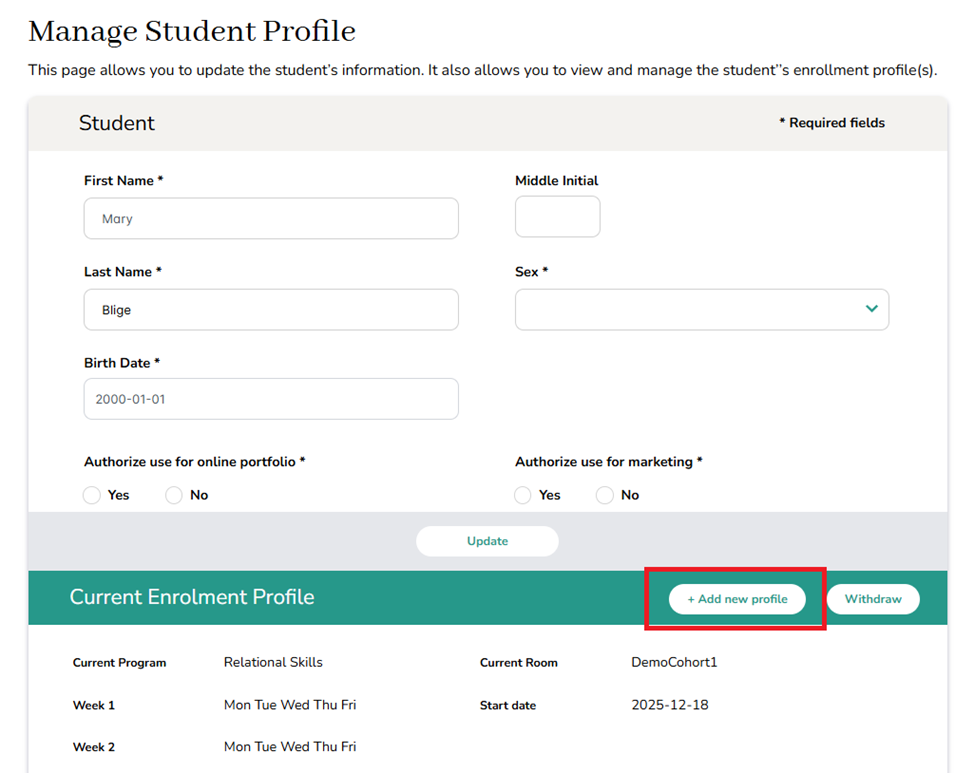
Step 5: Click on the learner’s name and select Enrollment Profile.
Step 6: Click on Add New Enrollment Profile.
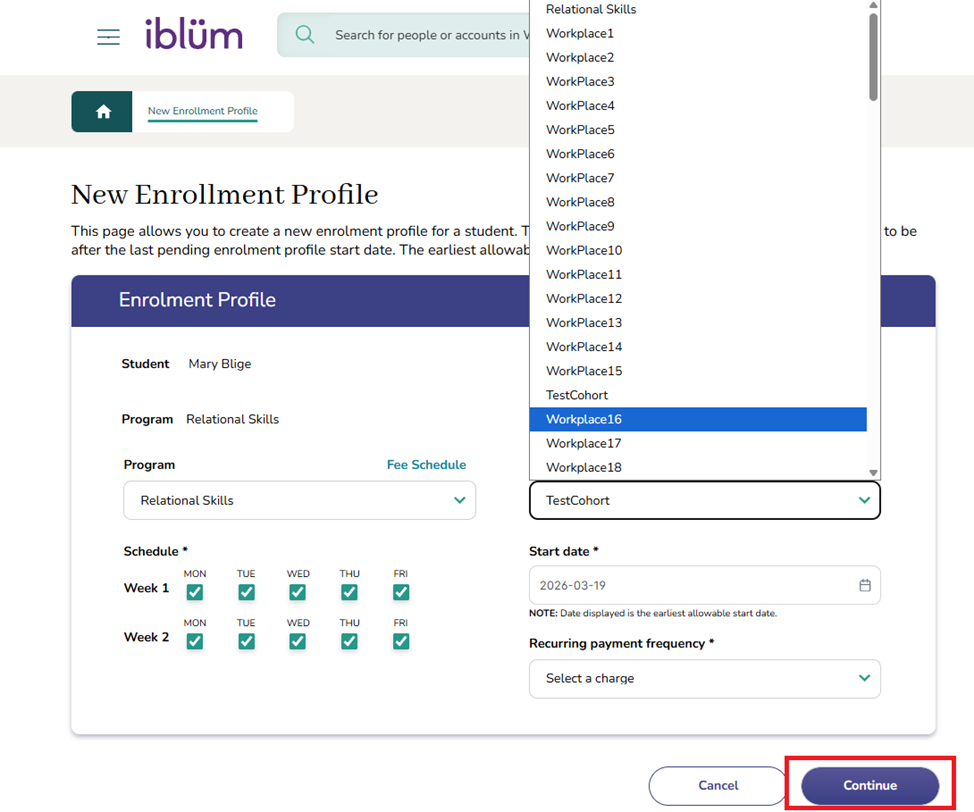
Step 7: Ensure the Relational Skills is selected (if not already) for Program.
Step 8: Select Room.
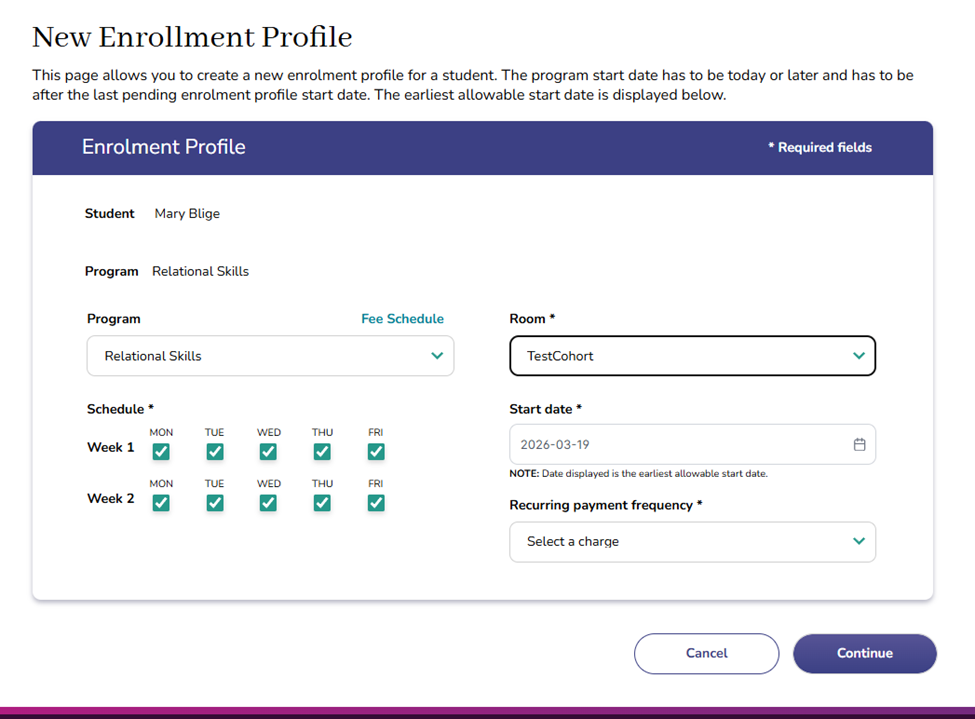
Step 9: Choose the cohort (room) you would like to move the learner into, then click Continue.