![iblum_Icon_RGB.png]](https://help.iblum.co/hs-fs/hubfs/iblum_Icon_RGB.png?height=40&name=iblum_Icon_RGB.png)
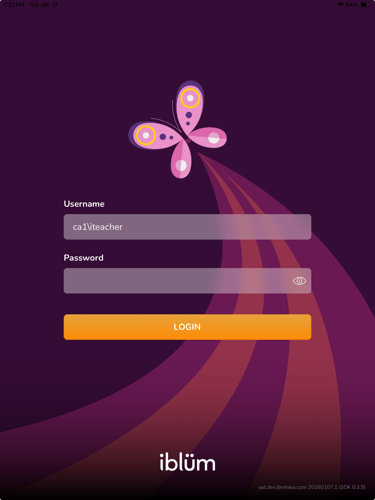
Step 1: Login to your educator account on the app
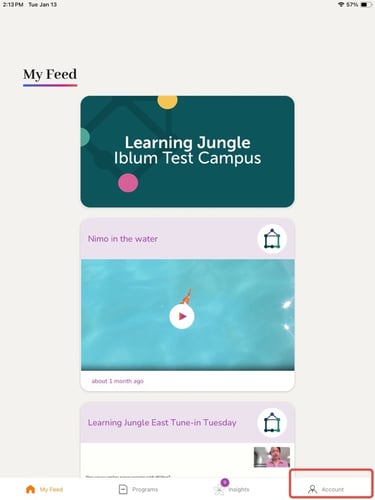
Step 2: Navigate to the Account tab
- Click on the Account tab on the bottom right of the screen
- You will be navigated to Publications and Reports
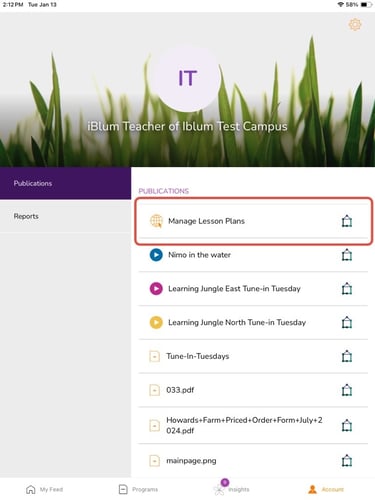
Step 3: Under publications, click on 'Manage Lesson Plans'
- If not already under Publications please select it
-
The first option you should see is Manage Lesson Plans
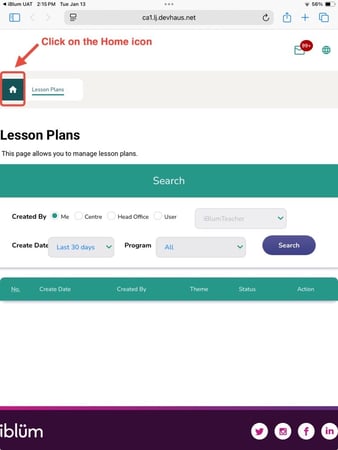
Step 4: Navigating the portal to create a new lesson plan
- Click on the Home icon to navigate you to your educator dashboard
- Click on the Create a new lesson plan link
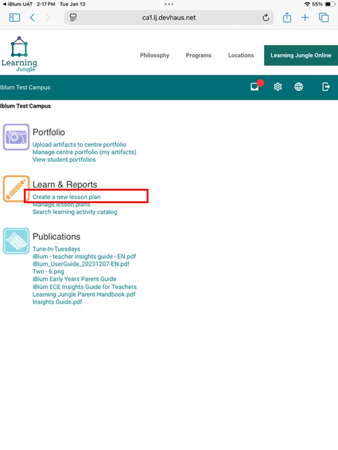
Step 5: Create a new lesson plan
-
You will ne navigated to this page:
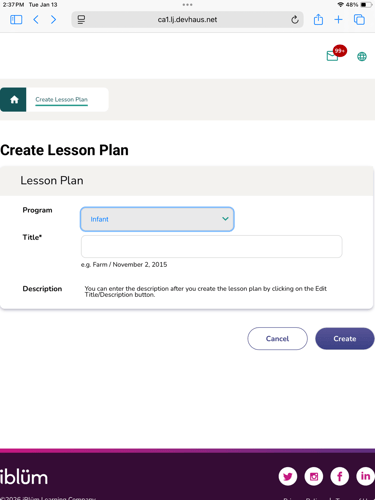
- Select the program and fill in an appropriate title
- Follow along this article [How to Create a Lesson Plan] moving forward starting from Step 2